Every object is either a solid or a hole. A hole on its own cuts nothing, but grouped with solids it cuts them away: that's how holes, slots and pockets are made.
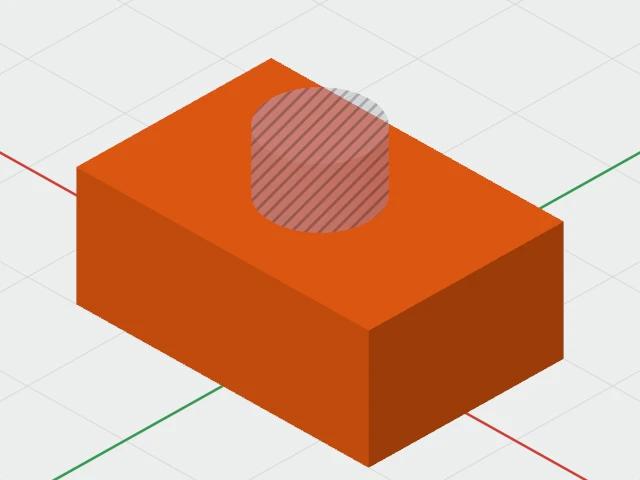
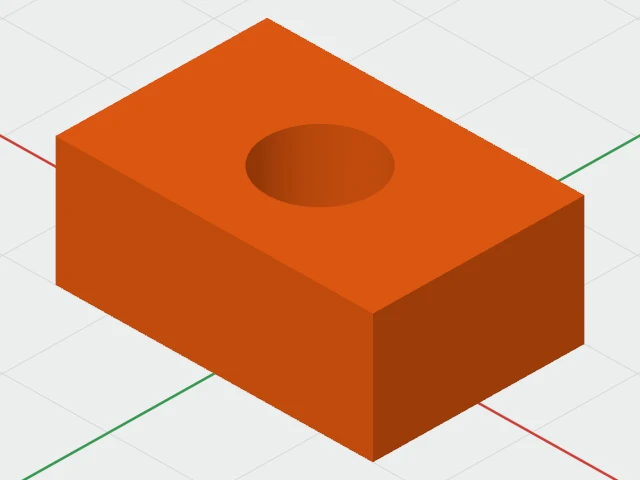
Making a hole
- Choose Box Hole or Cylinder Hole from Create ▾, or turn any shape into a hole: click Hole in the toolbar or the inspector, choose Object › Make Hole, or press H in the 3D view.
- Put the hole where it should cut, overlapping the solid.
- Select the hole and the solid, and choose Object › Group (⌘G). The hole is cut out.
S, Solid or Object › Make Solid makes a hole solid again.
How holes work
- On its own, a hole is drawn see-through and striped, so you can see through it to place it. It isn't exported.
- In a group, a hole cuts every solid in the group. What you see is what will print, and a click on a cut hole goes through it to whatever is behind.
- Grouping only holes makes one bigger hole, which then cuts as one.
- To change a hole later, double-click the group to edit inside it: the hole is drawn as a striped ghost you can move or resize. See Groups and Editing Inside.
- A hole keeps its colour, unseen, for when it's made solid again.