Print hex bolts, hex nuts and washers in ISO sizes from M3 to M12, and make nut traps for a steel nut to press into.
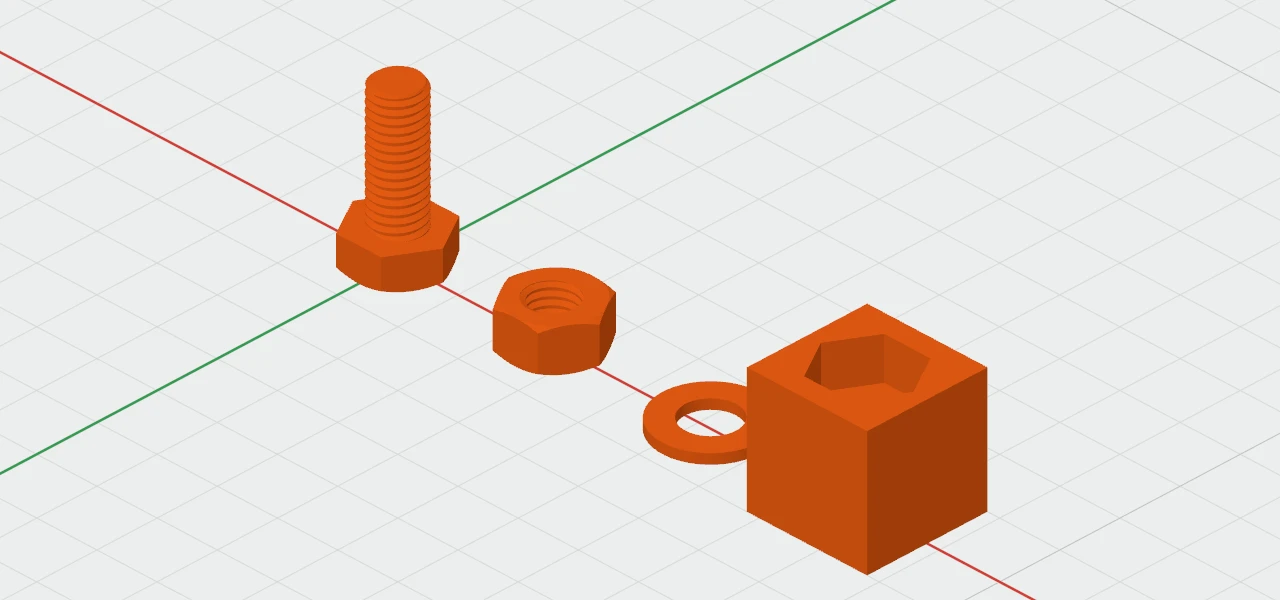
Each is in Create ▾ › Parts, and starts as M8. Each has its own section in the inspector, named after it, with a Size picker: M3 to M12 sets every dimension at once, and Custom shows when they don't match a size.
Hex bolt
- It stands head down, the way it prints best.
- Length is under the head, as bolts are sold. Threaded is how much of it is threaded, from the tip: make it shorter than the length for a plain shank under the head.
- Across flats and Head size the head. The Thread section sets the pitch, clearance, direction, starts and profile, as for any thread (see Threads).
- The square on top of the handles sets its length.
Hex nut
Its thread fits a bolt of the same size, with the clearance outwards, so a printed bolt and nut screw together. It has a Height (its thickness) and Across flats.
Washer
A flat ring, with a Hole ⌀, an Outside ⌀ and a Height (its thickness).
Nut trap
A hexagonal pocket for a steel nut to press into. It's a hole, so group it with the part the nut goes in, its top flush with the face.
- Across flats and Height (its depth) start as an M8 nut's.
- Clearance makes it 0.15 mm bigger on every side, so the nut presses in snugly.