Copy what's selected: duplicate it alongside itself, or copy it and paste it, in the same design or another one.
Duplicate
Edit › Duplicate (⌘D) copies the selection one grid step along X, and selects the copies, ready to move.
Duplicate and repeat
For a row of evenly spaced copies:
- Select something and press ⌘D.
- Move the copy to where the next one should go.
- Press ⌘D again, and again: each new copy is made the same distance further on.
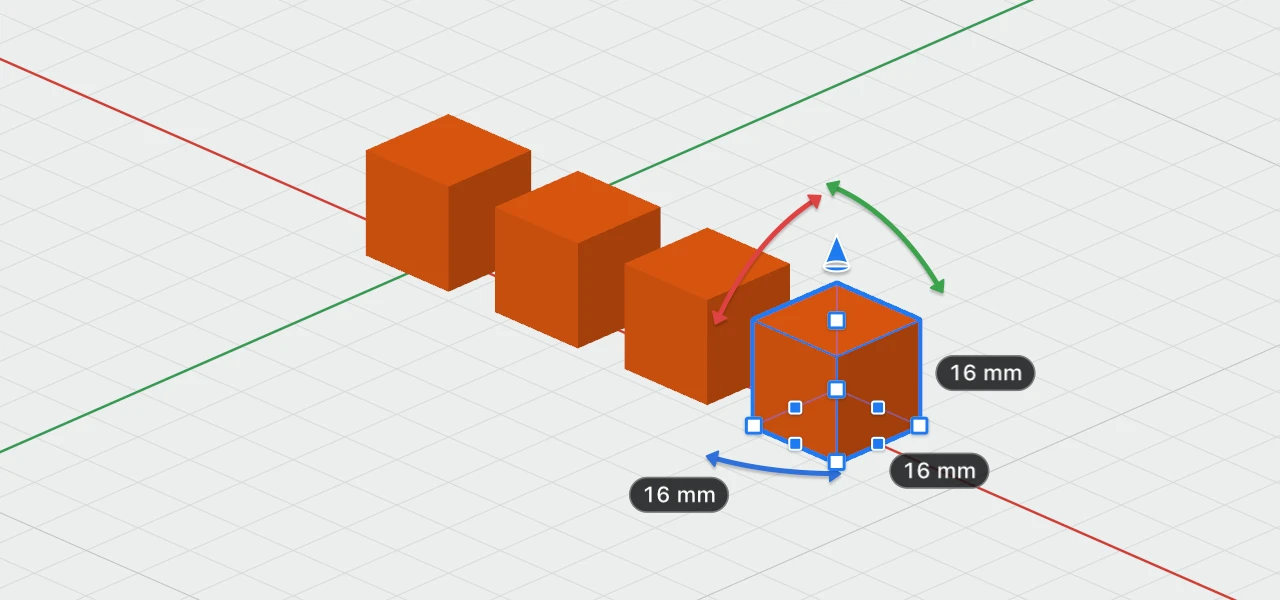
Selecting anything else goes back to one grid step along X.
Copy and paste
- Edit › Copy (⌘C), Cut (⌘X) and Paste (⌘V).
- Paste puts things exactly where they were when you copied them. If the originals are still there, unmoved, the pasted copies move one grid step along X, so they don't hide on top of them.
- Paste into another design to share parts between designs. Imported models come with them.
Delete
Edit › Delete, or ⌫ in the 3D view, removes the selection. Locked objects are left where they are.
Names
A copy is numbered after the highest number already used: copying Box 2 when there's a Box 3 gives Box 4. Copies are never locked, even when the original is.