Gears that mesh: spur, helical and herringbone gears, ring gears and racks, bevel gears for shafts at an angle, and worms with their wheels. Add Meshing Gear makes a partner that fits, and puts it in place.
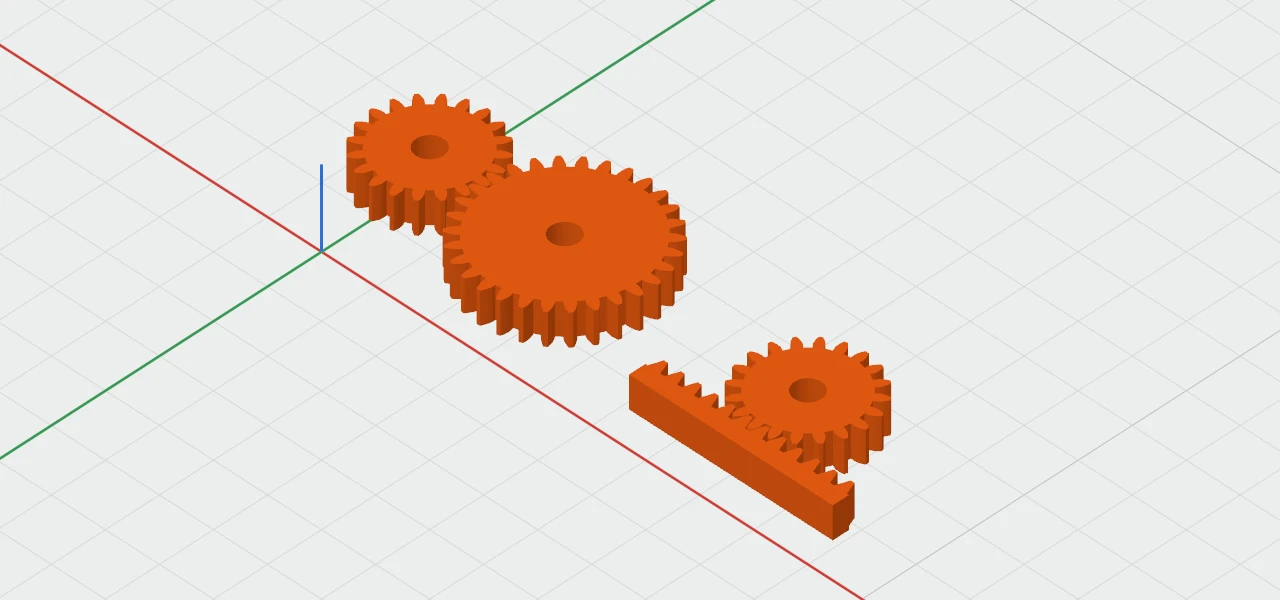
The kinds
All are in Create ▾ › Parts:
- Gear: 20 teeth, 6 mm thick, with a 5 mm round bore. Its Type is Spur, Helical or Herringbone.
- Ring Gear: teeth on the inside of a rim, for a gear to run inside it.
- Rack: a straight bar of teeth, which a gear drives along.
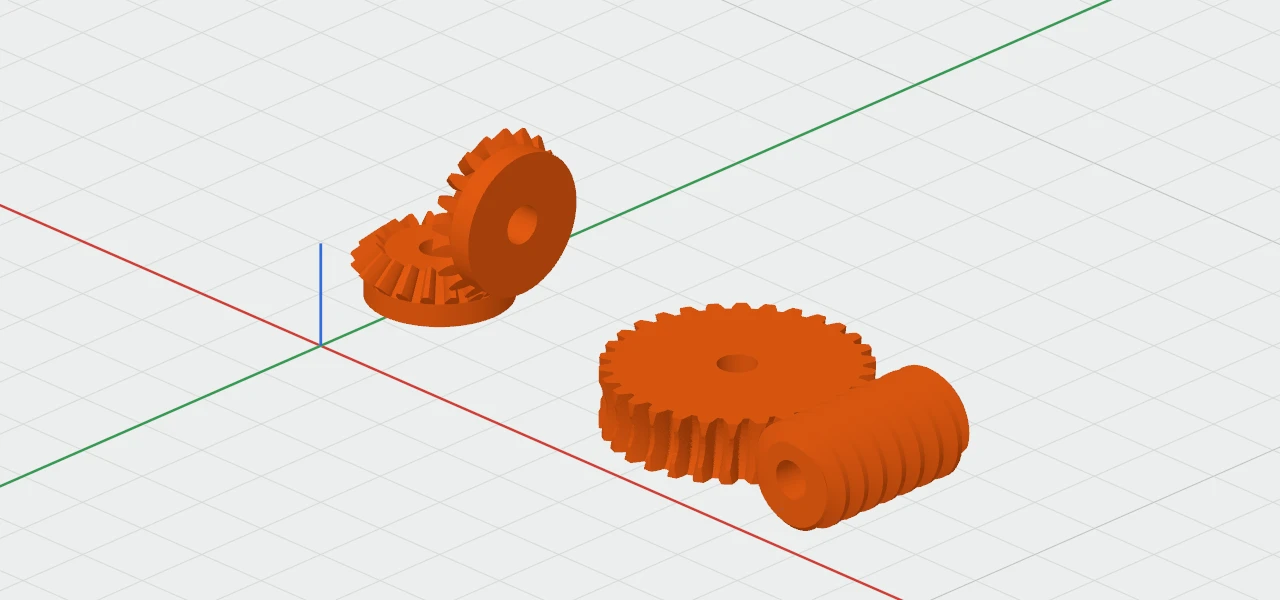
- Bevel Gear: for shafts at an angle, made for its mate (to start, a 20-tooth mate at 90°).
- Worm and Worm Wheel: a screw that turns a wheel at right angles, for a big reduction. The wheel is cut by its worm, so the two fit.
Add Meshing Gear
- Select one gear.
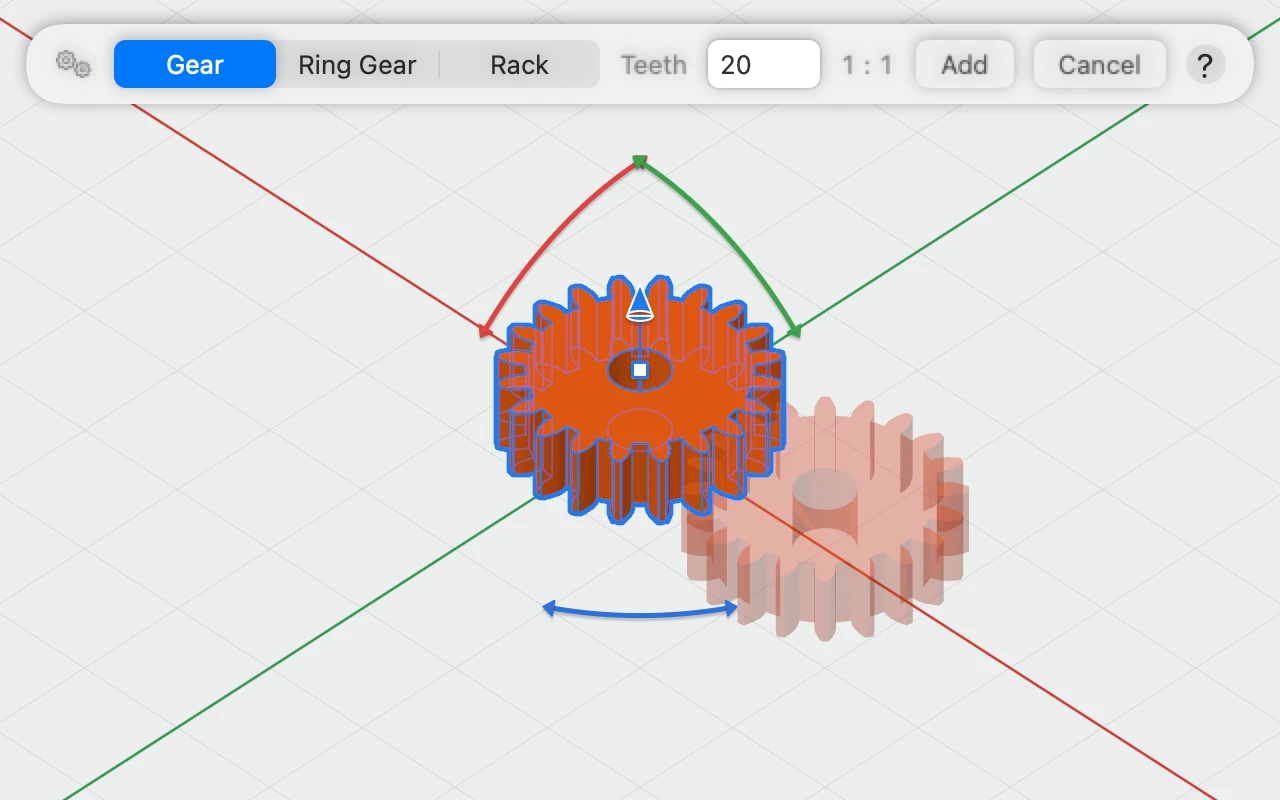
- Choose Modify ▾ › Add Meshing Gear…, or right-click the gear.
- In the bar, choose what to add (for a gear: Gear, Ring Gear or Rack), and type how many teeth, or how many starts for a worm. The bar shows the ratio.
- Click Add. The partner goes in meshing, in the same colour, and selected.
A bevel gear made for a different number of teeth, or a wheel cut for a different worm, is remade to suit, and the bar says so.
Sizes and settings
- Module is the size of the teeth: gears mesh only with gears of the same module. Size them by DP (diametral pitch) instead if you prefer.
- Teeth and Thickness, and a Pressure angle of 14.5°, 20° or 25°.
- Clearance moves every tooth face in by 0.05 mm, so printed gears turn freely.
- The Middle section has the Bore, None, Round, D-shaft or Hex, for the shaft, and a Hub, a collar for a set screw.