Hide what's in the way while you work, and lock what's finished so it can't be changed by accident.
Hiding
- Object › Hide (⇧⌘H), the eye on an object's row in the object list, or right-click a row › Hide.
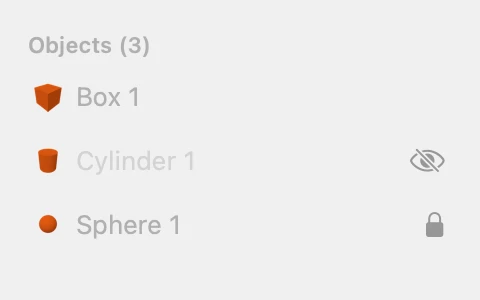
- Hidden objects aren't drawn, can't be clicked, and are left out when you export. Their rows in the object list fade.
- Object › Show All (⌥⇧⌘H) shows everything again, or click a hidden row's eye.
- A member of a group can be hidden only while editing inside its group.
Locking
- Object › Lock (⌘L), the padlock on an object's row, or right-click a row › Lock. Object › Unlock (⇧⌘L) frees it again.
- A locked object can still be selected, looked at in the inspector, hidden, copied and duplicated. Its copies aren't locked.
- It can't be moved, resized, turned, coloured, renamed or deleted, and it has no handles. The inspector says "Locked. Unlock to make changes (⇧⌘L)."
- ⌘A and selection rectangles leave locked objects out.